LAUNCH PRICE$5
Blender add-on · BetaNEW v1.0.2 · Make Your Own

All your favorite tools,
in ONE place.

Copy any button or panel, even from other add-ons, into one place. No more hunting through tabs. Plus extras: your own buttons, pie menus and recorded steps.

Launch price First 20 buyers$15$5
Heads upPrice goes upafter the first 20 sales · no code needed

🎁GIVEAWAY: win Panelify free · 3 winners · ends Oct 30 → 👇 Try the live demo
Blender 4.2 and aboveRight-click to add · or Shift+Alt+PYour setup is saved
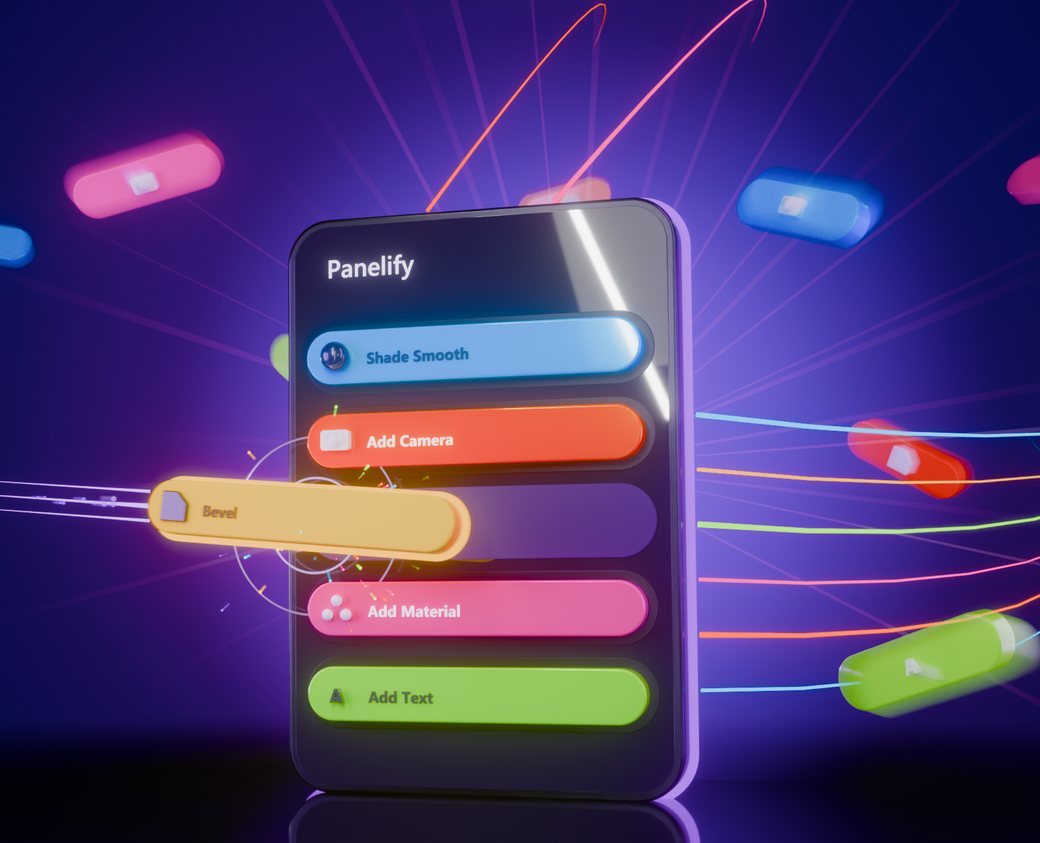
A glowing Panelify panel with colorful buttons flying into it
Real Blender, same scene

Ten tabs → one tab.

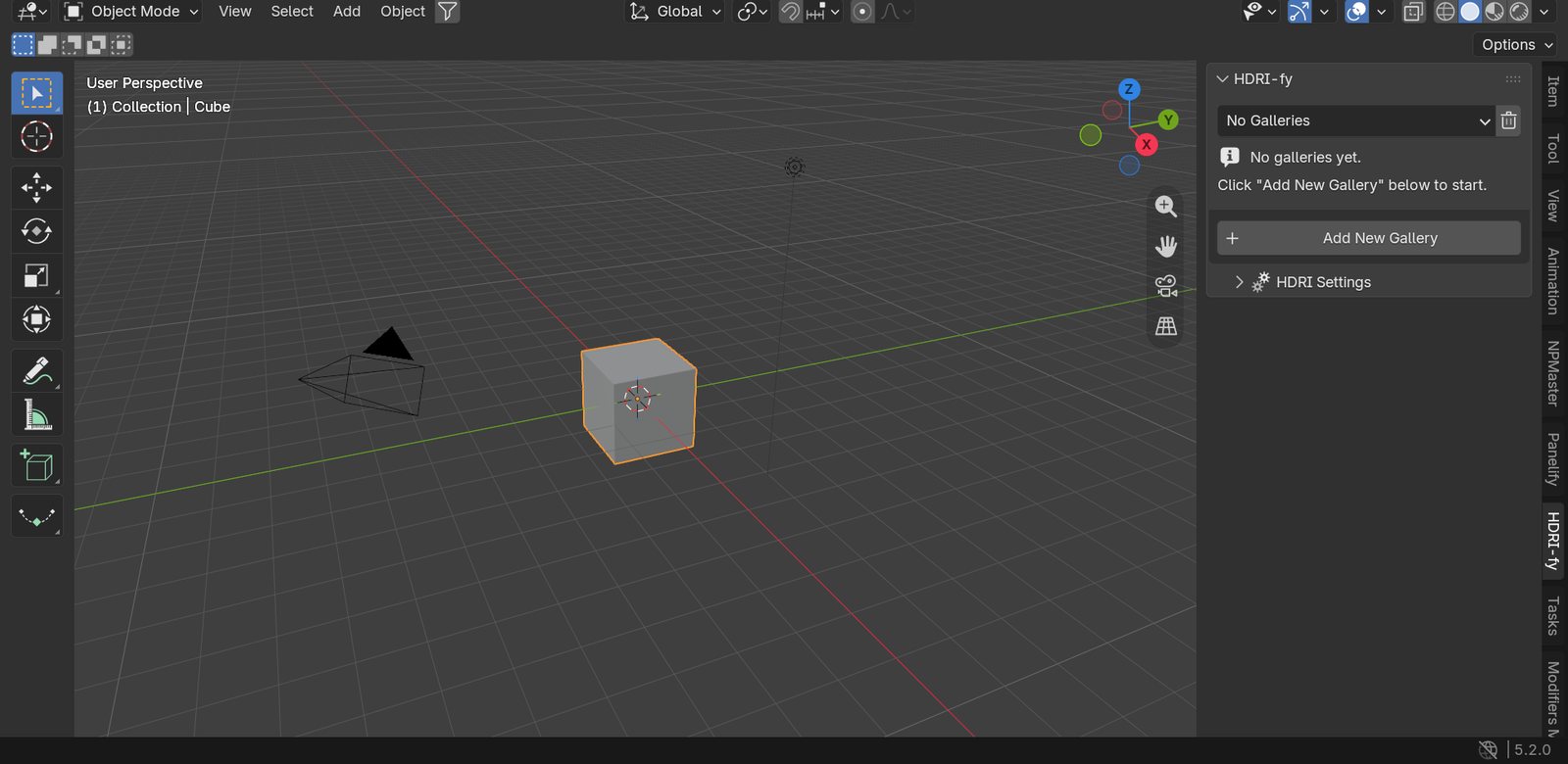
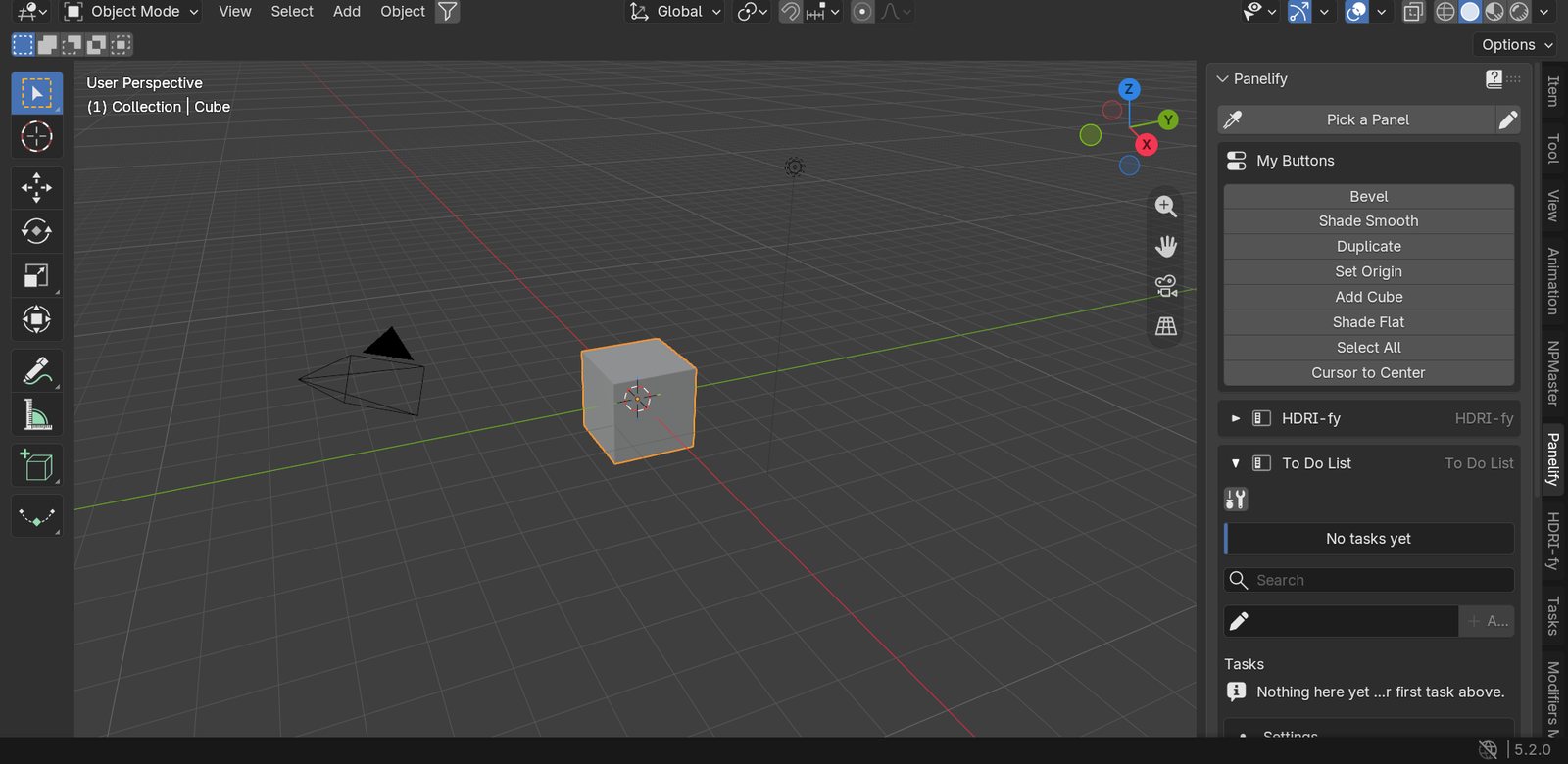
Before: your tools spread over a tab for every add-on. After: one Panelify tab with exactly what you use.

Before: Blender sidebar on the HDRI-fy tab, other tools in other tabs
After: the Panelify tab with My Buttons, HDRI-fy and To Do List in one place
BeforeAfter ✨
↔
0panels in one tab
0buttons in your list
0buttons in your pie
0right-click to add
Live demo · real Blender UI · not a video

Don't just look. Try it right here.

Blender 4.2 with Panelify, Modifiers Master and To Do List, running in your browser. Right-click any button to add it, or press Shift+Alt+P and click a whole panel. New in v1.0.2: right-click > Copy Button or Copy Script, then paste it in Make Your Own.

Right-click a buttonAdd it to My PanelsOpen the Panelify tab Pick a Panel Shift+Alt+PChange a value Pie Shift+Alt+JRecord a ButtonCopy & paste: Make Your Own NEW
Drag numbers like in Blender, click the arrows to open or close panels. On a phone: tap and hold a button for its menu.
Real Blender footage

See it in action.

Recorded in Blender with our own released add-ons. Nothing staged.

1Add any button
🖱️ Right-click Bevel in Modifiers Master, add it, and click it in the Panelify tab. Done.
2Add whole panels
🧩 The full panel lands in Panelify, every button inside it, and it keeps working.
3Pick a Panel
💉 Press Shift+Alt+P, point at any panel, confirm. The status bar tells you what you'll get.
4Record a Button
⏺️ Record your steps once, save them as one button, and click it to run them again.
5Panelify Pie
🥧 Shift+Alt+J opens your first 8 buttons around the mouse.
6Make Your Own NEW
📋 Right-click the Bevel amount: Copy Script. Paste it, click Add: it’s your own live slider. Then Shift+Alt+K opens your own pie.
How it works

Three steps. That's it.

1

Right-click

Right-click any button or panel you use, in any add-on or in Blender itself.

2

Add it

Click Add to My Panels. Want a whole panel? Press Shift+Alt+P and just click it.

3

Use it from one tab

Press N and open the Panelify tab. Everything you added is there, and works exactly like before.

What you get

Everything you can put in one place.

Copy any button or panel into your Panelify tab. Then go further with the extras.

🧩
My PanelsWhole panelsCopy a full panel from any add-on, with all its buttons and sub-panels. It keeps working.
🖱️
My ButtonsSingle buttons & settingsOnly need one button or one slider? Add just that. Sliders follow the selected object.
💉
Pick a PanelClick to copy a panelPress Shift+Alt+P, then click any panel on screen: it’s copied into your tab.
⏺️
Record a ButtonTurn steps into one buttonDo your steps once (move, duplicate, add a modifier). Panelify saves them as one button.
🥧
Panelify PieA pie menu of your buttonsPress Shift+Alt+J: your first 8 buttons pop up around the mouse.
✏️
EditOrganize it your wayRename, reorder or remove anything with the pencil. Your setup is saved.
NEW in v1.0.2
📋
Make Your OwnBuild your own toolsRight-click any button → Copy Button, or any setting → Copy Script. Paste it in Panelify and it becomes your own button, slider, or pie menu item (Shift+Alt+K). Keep them in every project, or in this file only.
🎁🎉 🎁 GIVEAWAY ON DISCORD

We're giving away 3 copies

Three lucky people win Panelify for free. It takes a minute to enter.

1Join our Discord server
2Enter the giveaway
33 lucky winners get it free
⏱ Ends Fri, Oct 30 · 8 PM Egypt 🎉  Join the Discord & enter
Honest and safe

Good to know.

✅ Safe & compatible

  • Works in Blender 4.2 and above
  • Tested on Blender 4.2 and 5.2
  • Uses its own names, so it never clashes with your other add-ons
  • Copied panels still work in their own tab too
  • Turns off cleanly, nothing left behind

💬 Honest limits (Beta)

  • Most add-on panels copy in one click. A few custom-drawn ones can't
  • Blender's own built-in panels (like Transform) can't be copied whole: add their single buttons instead
  • The recorder saves moves, copies, modifiers and settings, not every Blender action
  • Tell us what didn't copy: we add support in free updates
Documentation

How to use Panelify.

👆 Click a topic

📦 Install

  1. Download the Panelify .zip from your Superhive library (don't unzip it).
  2. In Blender: Edit › Preferences › Get Extensions, open the menu at the top right and choose Install from Disk. Pick the zip.
  3. Make sure Panelify is enabled. Press N in the 3D View and open the Panelify tab.

Updating: install the new zip the same way. Your panels, buttons and recordings stay.

🧩 My Panels

  1. Right-click any button inside the panel you want, then pick Add '<Panel>' Panel to My Panels.
  2. Or press Shift+Alt+P (or click Pick a Panel): the mouse becomes an eyedropper. Point at a button of the panel, the status bar shows what you'll get, click, and confirm.
  3. The panel shows in the Panelify tab with its sub-panels. Click the arrow to open or close it.
  4. Click the pencil to move panels up or down, or remove them (the add-on keeps its own panel).

Up to 40 panels. Blender's own built-in panels can't be copied whole: their buttons are added one by one instead.

🖱️ My Buttons

  1. Right-click any button or setting and pick Add '<Button>' Button to My Panels.
  2. It appears in the My Buttons box at the top of the Panelify tab.
  3. Settings follow the selected object: a Bevel width shows the bevel of whatever you select.
  4. Click the pencil to rename, reorder or remove buttons.

Up to 60 buttons. The first 8 are also your pie.

⏺️ Record a Button

  1. Open Record a Button in the Panelify tab and click Record.
  2. Do your steps as usual: move, duplicate, add a modifier, change a setting.
  3. Click Stop, check the list and remove any step you don't want.
  4. Type a name and click Save. It's now in My Recordings: click it any time to run the steps again.

Moves of the view are left out. Selections are saved by object name. Keep the Info area available (Blender's default layout has it), the recorder reads it.

🥧 Panelify Pie

  1. Add a few buttons to My Buttons.
  2. Press Shift+Alt+J in the 3D View: your first 8 buttons open around the mouse.
  3. Move toward a button and click.
  4. Reorder My Buttons (pencil) to choose which 8 are in the pie.

Change the key in Preferences › Keymap (search "Panelify Pie").

🛠️ Tips & help

  • Every Panelify panel has a ? in its header that explains it.
  • Right-click any Panelify button for Tutorial: what it does and the steps of its panel.
  • The full Guide is in the add-on's Preferences (click the ? in the Panelify header).
  • Your setup is stored in Blender's preferences: keep Auto-Save Preferences on (Blender's default).
  • A panel shows "Its add-on is off or removed"? Turn that add-on back on.
  • Need help? Message us on Superhive or ask in our Discord.
FAQ

Quick answers.

💲 Why is it so cheap right now?

Panelify is in beta, so early buyers pay less. This price is only for the first 20 buyers; the price goes up after 20 sales. Pay once, every update is free.

📋 Can I make my own buttons, panel and pie?

Yes, since v1.0.2. Right-click any button and click Copy Button, or right-click any setting and click Copy Script. Paste it in Panelify > Make Your Own and click Add. Settings become live rows that follow the selected object, and your own pie opens with Shift+Alt+K (you can change the key). Keep them in every project or in this file only.

📍 Where is it in Blender?

In the 3D View sidebar. Press N and open the Panelify tab.

🧩 Can it copy panels from any add-on?

Most of them, in one click. A few custom-drawn panels can't be copied, and Blender's own built-in panels (like Transform) can't be copied whole. For those, right-click and add their single buttons instead.

🔄 Does the panel still work in its own tab?

Yes. Panelify only shows it again in your tab. Nothing is moved or changed in the other add-on.

⏺️ What can the recorder record?

Moves, duplicates, added modifiers and settings you change. View moves are skipped, and selections are saved by object name. Some Blender actions can't be recorded; the list shows exactly what was caught before you save.

💾 Will my setup still be there tomorrow?

Yes. Your panels, buttons and recordings are stored in Blender's preferences, so keep "Auto-Save Preferences" on (Blender's default).

🧪 What does "Beta" mean?

Panelify works and is tested on Blender 4.2 and 5.2. Beta means we keep adding support for more panels based on your feedback, and those updates are free.

🤝 Does it work next to my other add-ons?

Yes. Everything in Panelify has its own names, so it never clashes with other add-ons. We tested it next to our own add-ons.

🏷️ I own Make Your Favorite Panel. Is there a deal?

Yes. Panelify is its successor. Check your Superhive messages: owners get a special upgrade price.

🧩 Which Blender versions?

Blender 4.2 and above.

🛟 Where do I get help?

Send us a message on Superhive or ask in our Discord. Your purchase includes updates.
Pay once

One panel. Launch price.

$15
$5 Launch price for the first 20 buyers. No code needed.

Only the first 20 buyers get this price. The price goes up after 20 sales. Every update stays free for you.

  • Panelify (Beta) for Blender 4.2 and above
  • My Panels, My Buttons and Pick a Panel
  • Record a Button and the Panelify Pie
  • Make Your Own: copy any button or setting into your own buttons, panel and pie (new in v1.0.2)
  • Built-in help, Tutorials and a full Guide
  • Free updates and help on Superhive and Discord
Get Panelify
🏷️ Own Make Your Favorite Panel? Panelify is its successor: check your Superhive messages for your upgrade price.
More from Al-Dezel

Other add-ons you might like.

💸 AFFILIATE PROGRAM

Like Panelify? Earn 25% to 50% sharing it.

Get 25% of every sale your link brings in. Every 20 sales adds another +5%, all the way up to 50%. We also share ready-made promos for big launches and early looks at new add-ons.

1Apply with your email
2Get your link within 48 hours
3Earn 25% → 50% on every sale
Become an affiliate →

Follow us

New add-ons, tips and behind-the-scenes.

Copied!